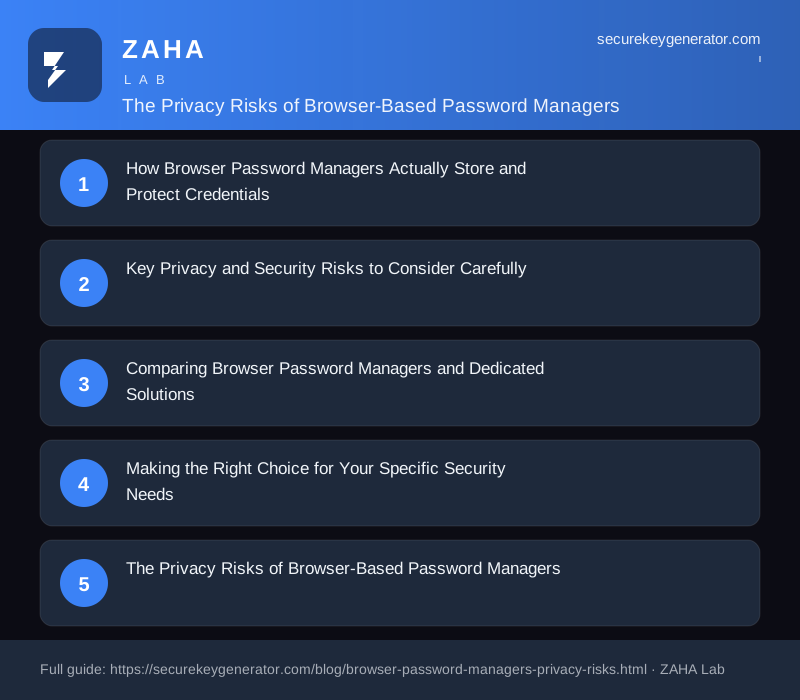
🌐 The Privacy Risks of Browser-Based Password Managers
Browser-based password managers, the built-in credential storage features integrated directly into Chrome, Firefox, Safari, and Edge, offer undeniable convenience for users who want to save and autofill their passwords across websites. However, these integrated tools come with important privacy and security trade-offs that every user should understand before relying on them as their primary password management solution for protecting sensitive accounts. While these built-in tools are certainly better than reusing the same weak passwords across multiple accounts or storing credentials in unencrypted text files or spreadsheets, understanding their specific technical limitations and privacy implications is essential for making truly informed decisions about your long-term password management strategy.
How Browser Password Managers Actually Store and Protect Credentials
Modern browsers store your passwords in encrypted databases on your local device using the operating system's native encryption capabilities that are already present on your computer. Chrome specifically uses the system keychain services available on each platform: Keychain Access on macOS, Credential Manager on Windows, and libsecret on Linux, to encrypt passwords before they are written to the local disk for persistent storage. When you enable password syncing across multiple devices for convenience, your credentials are additionally encrypted with your Google account password before being transmitted to Google's servers for cloud storage and synchronisation. However, it is important to understand that the overall security of this entire approach is only as strong as your Google account password and the security of your Google account itself against unauthorised access.
Firefox provides an optional but highly recommended master password feature that encrypts all stored credentials with a user-chosen password, adding a valuable extra layer of protection beyond what the operating system keychain alone provides for securing your stored login information. Safari integrates tightly with iCloud Keychain, which employs genuine end-to-end encryption for syncing across Apple devices, meaning that even Apple itself cannot decrypt your stored passwords if properly implemented. Edge uses your Microsoft account credentials for sync encryption. While all major browsers do encrypt stored passwords to some reasonable degree, the specific implementation details, encryption strength, and security guarantees vary significantly between different browsers and platforms.
Key Privacy and Security Risks to Consider Carefully
The most significant privacy risk with browser-based password managers is that they are fundamentally integrated into the browser itself, which means all stored credentials are exposed to the same vulnerabilities and attack surface as your entire browsing environment. If a browser vulnerability is discovered and actively exploited by attackers, which happens with concerning regularity across all major browsers, an attacker could potentially gain access to all of your stored passwords simultaneously without needing to bypass any additional security measures or authentication barriers.
Another important limitation that users often overlook is that browser password managers lack many of the advanced security features that dedicated password management solutions offer as standard functionality. Most notably, they do not provide true zero-knowledge architecture where even the service provider is technically incapable of accessing your vault contents under any circumstances. This fundamental architectural difference means that the company operating your browser has the technical ability and infrastructure to decrypt and read your stored credentials if compelled to do so by legal authorities or if their internal systems are compromised by attackers.
Comparing Browser Password Managers and Dedicated Solutions
Dedicated password managers address many of the privacy and security limitations inherent in browser-based solutions through several important architectural differences that provide stronger security guarantees. They implement genuine zero-knowledge encryption, which means your master password and all vault data are encrypted on your local device using strong cryptographic algorithms before being transmitted to the service provider's servers for synchronisation. The provider stores only encrypted blobs that cannot be decrypted without your master password, which is never sent to their servers at any point during normal operation or account recovery.
Dedicated password managers also offer a significantly more comprehensive feature set that goes well beyond basic credential storage and autofill. They provide proactive breach monitoring that automatically alerts you when any of your stored credentials appear in newly discovered data breaches, comprehensive password health dashboards that identify weak or reused passwords across your entire vault at a glance, secure credential sharing with family members or team members without exposing the actual password, biometric authentication using fingerprint or face recognition, and detailed security audit logging that tracks when and from which devices your vault was accessed.
Making the Right Choice for Your Specific Security Needs
For users who are just beginning their password security journey and have never used any password management tool before, a browser password manager represents a significant improvement over the common alternatives of password reuse or insecure storage methods like sticky notes or spreadsheets. The convenience of automatic password generation and autofill encourages better password hygiene habits that reduce overall security risk compared to doing nothing at all. However, as your understanding of security grows and your threat model becomes more sophisticated over time, the architectural limitations of browser-based solutions become increasingly apparent and concerning for protecting your most sensitive accounts like email, banking, and healthcare portals.
Transitioning from a browser password manager to a dedicated solution is fortunately a straightforward process that requires minimal time and effort. Most dedicated password managers provide one-click import tools that can automatically bring in all your saved passwords from Chrome, Firefox, Safari, and Edge in a matter of seconds. After successfully importing your credentials and setting up your strong master password, you can safely disable the browser's built-in password manager to prevent any confusion or conflicts between the two systems. The best dedicated solutions offer browser extensions that provide smooth autofill functionality while maintaining the significant privacy and security advantages of genuine zero-knowledge architecture.
For managing all your passwords securely with enterprise-grade encryption and zero-knowledge architecture, consider NordPass. It offers cross-platform support, secure password sharing, built-in breach monitoring, and a user-friendly interface that makes strong password hygiene accessible for everyone, helping you protect all your online accounts with minimal effort.
The Privacy Risks of Browser-Based Password Managers
Browser-based password managers, the built-in vaults in Chrome, Edge, Firefox, and Safari, are the most widely used credential tools on the planet. They are free, require no setup, and autofill logins with a single click. For hundreds of millions of users, the browser is their password manager. But that convenience hides a set of privacy and security trade-offs that most people never see. Because these tools are woven directly into the browser and the account ecosystem behind it, the way they store, sync, and expose your credentials differs sharply from purpose-built, zero-knowledge alternatives.
Your Vault Is Tied to Your Browser Account
When you save a password in Chrome, it is synced to your Google Account; in Edge, to your Microsoft Account; in Safari, to your Apple ID. This binding is the root of most privacy concerns. Your password vault becomes another data set living inside a profile that already knows an enormous amount about you.
- Single point of compromise: If your Google or Microsoft account is breached, the attacker may gain access not only to your email but to every credential the browser has stored.
- Profile-linked data: Saved sites reveal which banks, healthcare portals, dating apps, and subscription services you use, metadata that paints a detailed portrait of your life.
- Cross-device exposure: Sync means your vault is copied to every signed-in device, including shared, work, or older devices you may have forgotten about.
Weaker Encryption Defaults
Dedicated password managers are built around a zero-knowledge model: your data is encrypted and decrypted only on your device with a master password the provider never sees. Browser managers have historically taken a lighter approach.
- Encryption tied to the OS login: By default, many browsers encrypt saved passwords using your operating-system account credentials. Anyone who can open up or access your logged-in session can often view passwords in plain text through the settings menu.
- Optional, not default, extra protection: Features like an on-device encryption passphrase exist in some browsers, but they are off by default and rarely enabled by typical users.
- Provider visibility: Without an opt-in passphrase, the sync provider may hold keys capable of decrypting your vault, which is the opposite of a true zero-knowledge guarantee.
Autofill and Phishing Exposure
Autofill is the headline feature, but it also widens the attack surface. Malicious or compromised pages can attempt to trick the browser into revealing stored data.
- Invisible form fields: Attackers have demonstrated hidden or off-screen login forms that prompt autofill to populate credentials without the user noticing.
- Loose domain matching: Weak matching logic can lead to credentials being offered on lookalike or subdomain phishing sites.
- Script-heavy pages: Because the manager runs inside the same browser context as untrusted web content, a vulnerability in the browser engine can become a vulnerability in your vault.
Local Access Is Often Trivial
Perhaps the most underappreciated risk is physical and local access. On many default configurations, an unlocked computer is an unlocked vault.
- Anyone sitting at your signed-in machine can open browser settings and reveal every saved password, sometimes with only an OS prompt that matches your everyday login.
- Malware running under your user account can frequently read the browser's credential store directly, since it is protected by the same session that is already active.
- Shared family or office computers multiply this risk, as profiles are easy to switch between and sync can pull a full vault onto a device you do not control.
Telemetry, Tracking, and Data Aggregation
Browser makers are, in several cases, advertising companies. That creates an inherent tension between offering a password manager and monetizing user data.
- Usage signals: Sync services and browser telemetry can reveal account activity patterns even when the password contents themselves are protected.
- Ecosystem lock-in: Storing credentials in a browser account deepens your dependence on a single vendor, making it harder to leave and easier for that vendor to correlate your behavior across services.
- Limited transparency: Most browser managers are not independently audited the way leading standalone tools are, so users must take security claims largely on faith.
Where Browser Managers Fall Short of Dedicated Tools
Standalone password managers and offline credential generators close many of these gaps by design. The differences are worth weighing before you rely on a browser to guard your most sensitive logins.
- True zero-knowledge encryption with a master password the provider can never recover or read.
- Cross-browser portability so your vault is not chained to one company's ecosystem.
- Stronger autofill controls, including strict domain matching and explicit confirmation before filling.
- Secure password generation that creates high-entropy credentials locally, without transmitting them anywhere.
- Independent security audits and open-source code that researchers can inspect.
How to Reduce the Risk
If you continue to use a browser-based manager, a few steps meaningfully harden it:
- Enable the on-device encryption passphrase if your browser offers one, so the provider cannot decrypt your vault.
- Protect the underlying account with a strong, unique password and hardware-backed two-factor authentication.
- Set a separate OS-level requirement to view or autofill saved passwords, and lock your screen whenever you step away.
- Audit your sync settings and remove devices you no longer use.
- For your highest-value accounts, email, banking, and identity, consider a dedicated, audited password manager instead.
Browser password managers are far better than reusing the same password everywhere. But "better than nothing" is not the same as private or secure. Understanding exactly what your browser stores, who can read it, and how easily it can be exposed is the first step toward choosing a tool that actually keeps your credentials yours.