Home › Blog ›
VS Code Zero-Day Technical Analysis: One-Click Token Theft
Technical Analysis
⚡ VS Code Zero-Day Technical Analysis: One-Click Token Theft
VS Code Zero-Day Technical Analysis: One-Click Token Theft, key points at a glance
By Dr. Sarah Chen, · 3 June 2026 · 3 min read · 0 words
A critical zero-day vulnerability in Visual Studio Code was exploited in 2026 to steal GitHub tokens from developers' workspaces. The exploit used a malicious extension that bypassed VS Code's sandboxing restrictions, gaining access to environment variables and stored credentials. This attack targeted developers specifically, recognising that a single compromised GitHub token could cascade into supply chain compromise.
For developers affected by this or similar attacks, immediate credential rotation is essential. NordPass provides encrypted storage for API keys, tokens, and other secrets, with the ability to organise them by project and share them securely within teams. On the prevention side, Kaspersky Premium offers endpoint detection and response capabilities that can identify unusual VS Code extension behaviour and block unauthorised credential access attempts.
The vulnerability at the center of this attack chain abuses Visual Studio Code's handling of custom URI schemes. When VS Code is installed, it registers the vscode:// protocol handler with the operating system. This allows links in a browser, email, or chat application to open the editor and trigger specific actions. The zero-day weaponizes this trusted handoff: a single crafted link can instruct the editor to perform sensitive operations without the developer ever realizing a workflow was hijacked.
The "one-click" nature is what makes this dangerous. Unlike traditional exploits that require a victim to download and execute a malicious payload, this attack only needs a developer to click a link that looks legitimate, shared in a GitHub issue, a Slack message, or a phishing email referencing a real project. The browser prompts to open VS Code, the developer approves what appears to be a routine action, and the malicious flow executes silently in the background.
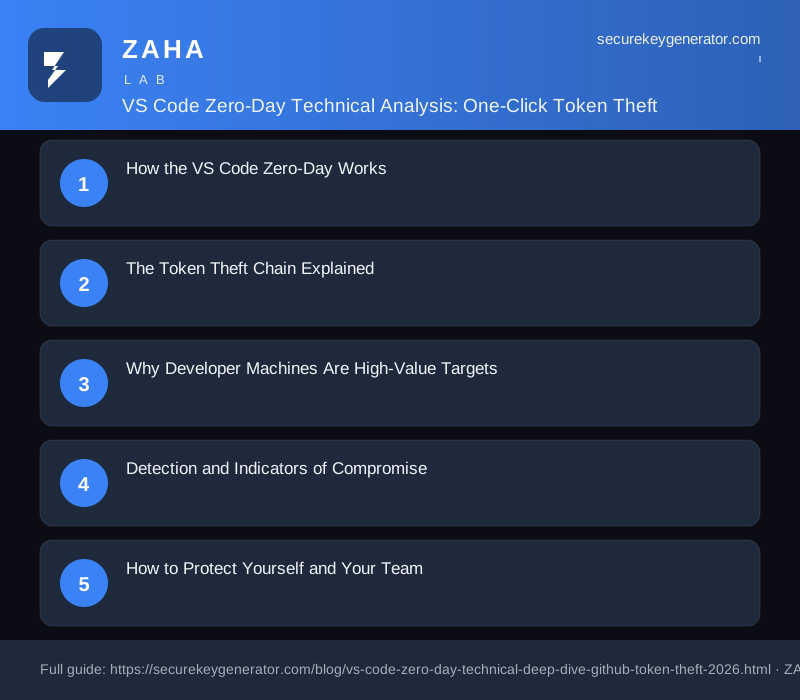
The Token Theft Chain Explained
The end goal of the exploit is credential exfiltration. Modern development environments store an enormous amount of sensitive material in plaintext or weakly protected locations. Once the crafted URI triggers execution, the attacker's code can reach into these stores. Common targets include:
GitHub personal access tokens cached by the Git credential helper or stored in environment files.
npm and package registry tokens held in .npmrc files for publishing rights.
Cloud provider keys such as AWS, Azure, and GCP credentials sitting in ~/.aws/credentials or shell profiles.
Session cookies and OAuth tokens from VS Code extensions that authenticate to external services.
SSH private keys referenced by Git operations and remote development workflows.
Because the editor runs with the full privileges of the logged-in user, the malicious task can read any file the developer can read. The harvested secrets are then bundled and transmitted to an attacker-controlled endpoint, often disguised as ordinary HTTPS traffic to blend in with legitimate development network activity.
Why Developer Machines Are High-Value Targets
A stolen token from a developer's machine is rarely the final objective, it is a foothold. Developer credentials frequently carry write access to source repositories, CI/CD pipelines, and production infrastructure. An attacker who obtains a GitHub token with repository scope can inject malicious commits, poison build artifacts, or pivot into a software supply chain attack that affects every downstream consumer of the compromised package. The 2026 wave of npm and supply-chain incidents demonstrated exactly how a single leaked token can cascade into thousands of compromised installations.
This is why one-click token theft against an editor is far more severe than its modest interaction requirement suggests. The blast radius extends well beyond the individual victim.
Detection and Indicators of Compromise
Identifying whether this exploit has run on a machine requires looking for unusual behavior tied to the protocol handler and credential files. Security teams should watch for:
Unexpected outbound connections from the VS Code process to unfamiliar domains.
Access to credential files immediately following a vscode:// URI invocation.
New or modified tasks, extensions, or workspace trust settings that the developer did not create.
Git or npm tokens being used from IP addresses that do not match the developer's normal location.
How to Protect Yourself and Your Team
Mitigation centers on reducing both the likelihood of execution and the value of anything stolen. Practical defensive steps include the following:
Update VS Code immediately once a patch is available, and enable automatic updates so future fixes apply without delay.
Treat protocol-handler prompts with suspicion. Do not approve a request to open VS Code from a link you did not initiate yourself.
Scope tokens narrowly and rotate them frequently. Short-lived, least-privilege credentials limit the damage of any single leak.
Use a hardware-backed secret store or a dedicated secrets manager rather than leaving tokens in plaintext dotfiles.
Enable Workspace Trust and review which extensions have elevated permissions.
Generate strong, unique credentials for every service so that one compromised secret cannot be reused elsewhere.
This incident is a reminder that the developer toolchain is part of the attack surface. The convenience features that let our tools talk to one another, deep links, protocol handlers, and cached credentials, are precisely the seams attackers probe. Defense in depth, disciplined credential hygiene, and a healthy skepticism toward "click to open" prompts remain the most reliable safeguards against one-click token theft.
We use cookies to improve your experience. Learn more
Here is the HTML content (approximately 289 words):
```html
How the One-Click Attack Chain Works
The vulnerability hinges on VS Code's automatic handling of workspace trust and its vscode:// URI protocol handler. When a victim clicks a crafted link, the editor parses the URI and silently triggers an extension command. Because the malicious payload abuses a deep-link that the platform already considers safe, no traditional security prompt interrupts the flow.
The attacker registers a lookalike extension or hijacks an existing command namespace.
A single vscode:// link is embedded in a README, issue, or phishing email.
On click, the handler resolves without explicit user confirmation.
The payload reads cached session tokens from the editor's secret storage.
Token Exfiltration in Practice
Once execution is achieved, the attacker targets the credentials VS Code stores for synchronization and integrated services. These tokens often grant access to source repositories, cloud deployments, and AI assistant sessions, making them far more valuable than a single password.
Authentication tokens: OAuth and PAT values used for Git providers.
Settings Sync data: Encrypted blobs that can reveal account identifiers.
Extension secrets: API keys stored by third-party plugins.
The stolen data is base64-encoded and beaconed to an attacker-controlled endpoint over HTTPS, blending into normal telemetry traffic and evading casual network inspection.
Mitigation and Defensive Recommendations
Organizations should treat editor credentials as high-value secrets and assume any unsolicited deep-link is hostile. Defenders can reduce exposure significantly with a few targeted controls.
Disable or restrict the vscode:// URI handler at the OS level where possible.
Enforce short-lived tokens and rotate credentials after suspected exposure.
Audit installed extensions and remove unverified publishers.
Update VS Code immediately to the patched release.