Home › Blog ›
Password Security for Journalists and Sources: A Practical G
Threat Modelling
📰 Password Security for Journalists and Sources: A Practical Guide
Password Security for Journalists and Sources: A Practical G, key points at a glance
By Dr. Sarah Chen, · 4 May 2026 · 3 min read · 0 words
Journalists face unique security threats: targeted phishing attacks from state actors, device seizure at border crossings, and constant surveillance of their digital communications. A compromised password can expose sources, burn operations, and endanger lives. Strong credential hygiene is not optional but a professional necessity for anyone working in investigative journalism or sensitive reporting.
NordPass offers journalists a reliable way to generate, store, and autofill complex passwords across all devices, with biometric authentication ensuring that even if a device is seized, the vault remains locked. For teams collaborating on investigations, 1Password provides shared vaults with granular permissions, travel mode that removes sensitive items when crossing borders, and detailed activity logs to monitor who accessed what.
Journalists are among the most targeted individuals online. Unlike the average user, a reporter's credentials can open up not just personal data but the identities of confidential sources, unpublished investigations, and sensitive communications that powerful actors are highly motivated to access. State-sponsored hacking groups, surveillance firms, and even well-resourced private interests routinely attempt to compromise newsroom accounts. A single reused or weak password can expose an entire network of contacts, putting lives and livelihoods at risk.
The stakes mean that password hygiene for journalists is not a matter of convenience but of operational security. Treating every login as a potential point of failure is the mindset that separates protected reporters from those who become unwitting liabilities to the people who trust them.
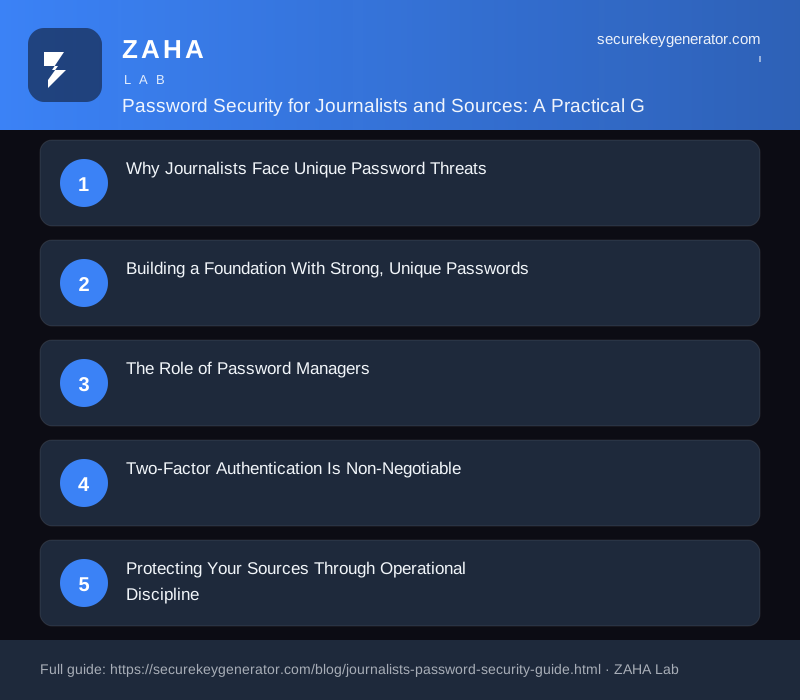
Building a Foundation With Strong, Unique Passwords
The single most effective defense is using a long, random, and unique password for every account. Reusing passwords means that one breach, anywhere, can cascade across email, cloud storage, and social platforms. Attackers rely on automated credential-stuffing tools that test stolen passwords against thousands of services in minutes.
Length over complexity: A passphrase of 16 or more characters resists brute-force attacks far better than a short string of symbols.
True randomness: Generate credentials with a trusted tool rather than inventing them yourself, human-chosen passwords are predictable.
One account, one password: Never let a breach of a minor service become a breach of your most sensitive inbox.
A reputable password generator that runs locally in your browser, without transmitting data to a server, makes sure the credentials you create are never exposed in transit.
The Role of Password Managers
Remembering dozens of unique, complex passwords is impossible by design, that is what password managers solve. A good manager encrypts your entire credential vault behind a single strong master password, syncing securely across devices. For journalists, the benefits go beyond convenience:
Autofill protections that detect phishing sites by matching exact domains, stopping you from entering credentials on a spoofed login page.
Secure sharing features that let teams collaborate without emailing passwords in plain text.
Built-in breach monitoring that alerts you when one of your accounts appears in a known data leak.
Choose a manager with a strong security track record and consider open-source options, which allow independent experts to audit the code. Whatever you select, protect the master password fiercely and never store it digitally in an unencrypted form.
Two-Factor Authentication Is Non-Negotiable
Even the strongest password can be phished or leaked. Two-factor authentication (2FA) adds a critical second barrier. For high-risk users, not all 2FA methods are equal:
Hardware security keys (such as FIDO2/U2F devices) are the gold standard, they are virtually immune to phishing because they verify the legitimate website cryptographically.
Authenticator apps that generate time-based codes are a strong second choice and work offline.
SMS codes should be avoided where possible, as they are vulnerable to SIM-swapping attacks that attackers use specifically against high-value targets.
Enable 2FA on every account that supports it, prioritizing email, cloud storage, and any platform where you communicate with sources.
Protecting Your Sources Through Operational Discipline
Password security exists within a broader practice of source protection. Use end-to-end encrypted messaging for sensitive conversations, and consider compartmentalizing your work by maintaining separate accounts and even separate devices for high-risk investigations. When onboarding a source, guide them toward secure tools as well, your protection is only as strong as the weakest link in the chain.
Be especially cautious with account recovery options. Security questions with answers discoverable through public research are a common backdoor. Use randomized, false answers stored in your password manager instead of truthful ones.
Maintaining Vigilance Over Time
Security is a habit, not a one-time setup. Review your accounts periodically, rotate critical passwords after any suspected exposure, and stay informed about new threats targeting media workers. Many press freedom organizations offer free digital security training and resources tailored to journalists.
By combining unique generated passwords, a trusted manager, phishing-resistant two-factor authentication, and disciplined operational habits, you build a resilient defense. In a profession where confidentiality can be a matter of safety, these practices are an essential part of doing the work responsibly.
We use cookies to improve your experience. Learn more
Why Password Security Matters More for Journalists
Journalists and their sources operate under threats most users never face: state-level adversaries, subpoenas, targeted phishing, and physical device seizure. A single reused or weak password can expose a source's identity, compromise unpublished investigations, or unravel an entire reporting network. Treating password hygiene as a core part of operational security is not optional, it is a duty of care owed to the people who trust you with sensitive information.
Building Strong, Unique Passphrases
Length beats complexity. A passphrase of five or six random words is far harder to crack than a short string of symbols, yet much easier to remember. The key rule is uniqueness: every account worth considering its own password so that one breach cannot cascade across your accounts.
Use Diceware: Roll physical dice to select words from a wordlist, creating phrases like "anchor velvet ledger maple drift" that no algorithm can guess.
Avoid personal data: Never include names, birthdays, beats you cover, or publication details an adversary could research.
Length target: Aim for at least 16 characters, and longer for email and password-manager master passwords.
Password Managers and Two-Factor Authentication
No human can memorize dozens of unique passphrases, so a reputable password manager such as Bitwarden, 1Password, or KeePassXC becomes essential infrastructure. It generates, stores, and autofills strong credentials behind a single strong master password that you never reuse anywhere else.
Hardware keys: Pair accounts with a FIDO2 security key like a YubiKey for phishing-resistant two-factor authentication.
Avoid SMS codes: Text-message 2FA is vulnerable to SIM-swapping; prefer authenticator apps or hardware tokens.
Offline backups: Keep an encrypted export of your vault in a secure, separate location in case of device loss.
Protecting Sources Through Shared Discipline
Security is only as strong as its weakest participant. When onboarding a source, walk them through creating a fresh, anonymous email and a strong passphrase before sharing anything sensitive. Document these practices in a simple checklist, and revisit them regularly as threats and tools evolve over time.