🔐 API Key Rotation: Protect Your Cloud with Automated Secrets
API key rotation is a fundamental security practice in modern cloud computing environments that simply cannot be overlooked or deprioritised by engineering teams building and maintaining cloud infrastructure. When API keys remain active for extended periods without being rotated on a regular schedule, they become increasingly vulnerable to undetected exposure through application logs, source code repositories, misconfigured permissions, compromised developer workstations, or careless data sharing practices that happen far more often than most organisations realise. Regular, automated rotation strictly limits the window of opportunity for attackers who manage to obtain these critical credentials, significantly reducing the potential blast radius of any single key compromise and making it an essential cornerstone of any robust cloud security strategy that aims to protect sensitive data and infrastructure from unauthorised access.
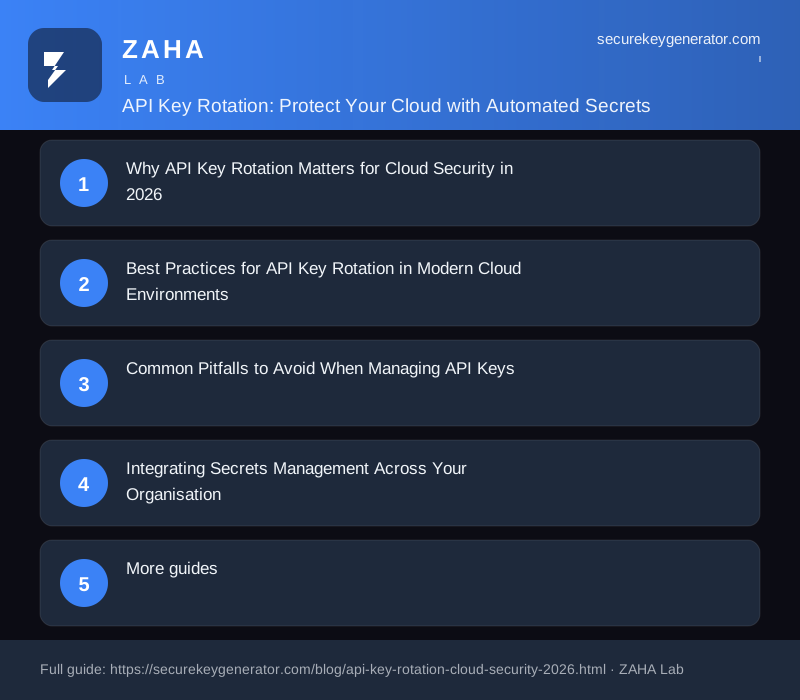
Why API Key Rotation Matters for Cloud Security in 2026
API keys serve as the authentication backbone for countless cloud services spanning AWS, Azure, Google Cloud, and thousands of third-party SaaS platforms that modern businesses depend on for their daily operations and customer-facing services. Unlike user passwords that are entered manually by humans and can be changed when a compromise is suspected, API keys often carry broad programmatic permissions that grant automated access to critical infrastructure and can be used at machine speed without any human interaction or oversight or intervention. This dangerous combination of elevated privileges and fully automated usage makes API keys exceptionally attractive targets for attackers, who can use stolen keys to exfiltrate terabytes of sensitive customer data, spin up expensive cloud resources for cryptocurrency mining operations, or pivot laterally to other interconnected systems within your cloud infrastructure to cause maximum damage before the compromise is detected.
The 2026 security landscape has witnessed a dramatic and concerning escalation in attacks specifically targeting long-lived credentials that were never properly rotated or managed. Recent high-profile incidents including the CISA contractor AWS GovCloud key exposure on GitHub and various elaborate npm supply chain attacks convincingly demonstrate that API key leaks can and do occur through seemingly minor security lapses with potentially catastrophic consequences for the affected organisations. Automated threat detection systems now continuously crawl public and private code repositories, log aggregators, CI/CD pipeline outputs, and paste sites all over the internet searching for exposed credentials, often identifying and exploiting them within minutes of accidental publication by developers who were not following secure coding practices.
Implementing automated API key rotation policies is a critical security control recommended by virtually every major security framework including NIST SP 800-207, the CIS Benchmarks, and the Cloud Security Alliance guidance document. The core principle is straightforward and powerful: when keys rotate on a frequent and predictable schedule, even if a key is compromised and obtained by an attacker, its useful lifespan for exploitation is strictly limited to the rotation interval. This effectively changes the potential damage from indefinite unlimited access to a matter of hours or days, fundamentally changing the risk calculus for cloud security teams and making proactive rotation one of the highest-value security investments available to any organisation operating in the cloud.
Proven methods for API Key Rotation in Modern Cloud Environments
1. Automate Rotation Fully with Infrastructure as Code
Manual key rotation is notoriously error-prone and frequently neglected by overworked operations teams who have competing priorities and limited bandwidth for security improvements. The reliable solution is to integrate key rotation directly into your CI/CD pipelines and infrastructure as code workflows from the very beginning of your cloud deployment process. Industry-standard tools like Terraform, Pulumi, and AWS CloudFormation all support automated key generation and rotation capabilities through their native resource providers, ensuring that keys are rotated on a precisely defined schedule without requiring any human intervention or manual tracking through spreadsheets or ticketing systems.
2. Implement Appropriate Rotation Intervals Based on Risk
The optimal rotation interval for your organisation depends on your specific risk tolerance and operational constraints, which will naturally vary between different environments and data sensitivity classifications within the same organisation. For high-sensitivity environments handling regulated customer data, financial transactions, or protected health information, consider rotating keys every 24 to 72 hours to minimise potential exposure windows and maintain strict compliance with regulatory requirements. For standard development and testing workloads where the risk is lower, a 30 to 90 day rotation schedule provides a good practical balance between security and operational overhead that most teams can sustain comfortably.
3. Deploy Comprehensive Usage Monitoring
Set up comprehensive monitoring and alerting systems to detect unusual API key usage patterns that may indicate a compromise in progress before significant damage occurs. If a key that normally generates 100 requests per day suddenly spikes to 10,000 requests in a single hour, this anomalous behaviour strongly suggests the key has been compromised and is being actively exploited by an attacker. All major cloud providers offer native monitoring services capable of detecting these patterns, and combining them with automated incident response workflows that can temporarily revoke suspicious keys immediately upon detection provides the fastest possible response and mitigation.
Common Pitfalls to Avoid When Managing API Keys
One of the most pervasive and dangerous mistakes organisations make is hardcoding API keys directly into application source code or configuration files that end up in version control systems. Even if your code repository is private and access is restricted, keys embedded in source files remain vulnerable to exposure through CI/CD pipeline logs, verbose error messages captured by monitoring systems, and developer workstations that may not have adequate security controls in place. Instead, always use a dedicated secrets management service or environment variables to inject keys into applications at runtime where they can be properly secured and audited.
Another frequently overlooked pitfall is failing to properly deactivate and verify the complete revocation of old keys after performing a rotation cycle. Simply generating a new key while leaving the previous key active creates a dangerous security gap that attackers can exploit if they have already obtained the old credential. Your rotation workflow must include both the creation of new replacement keys and the complete verified revocation of the previous keys, followed by automated verification that the old credentials no longer authenticate successfully against your services.
Integrating Secrets Management Across Your Organisation
For teams managing both API keys and user credentials across the organisation, adopting a unified approach to secrets management significantly improves overall security while reducing operational complexity and administrative overhead. Alongside automated API key rotation for your cloud infrastructure, strongly encourage team members to use strong, unique passwords for all their personal and professional accounts through a dedicated password manager that provides enterprise-grade security. Consider developing and implementing a comprehensive secrets management policy that clearly defines key rotation schedules, access control requirements, and incident response procedures for your entire organisation to ensure consistent security practices across all teams and departments.
For managing all your passwords securely with enterprise-grade encryption and zero-knowledge architecture, consider NordPass. It offers cross-platform support, secure password sharing, built-in breach monitoring, and a user-friendly interface that makes strong password hygiene accessible for everyone, helping you protect all your online accounts with minimal effort.